Your clipboard.
Your shortcuts.
Your workflow.
Blue Synergy brings #Clips, #Triggers, and #Captures into one fast, native Windows app — no cloud, no subscription.
The Productivity Team
Built in. Not bolted on.
Five team members, one fast, native Windows app.
The Courier
#Clips
The Conductor
#Overlay
The Shredder
#Retention
The Ghostwriter
#Triggers
The Photographer
#Captures
Five Members. One Workflow.
#Clips
The Courier
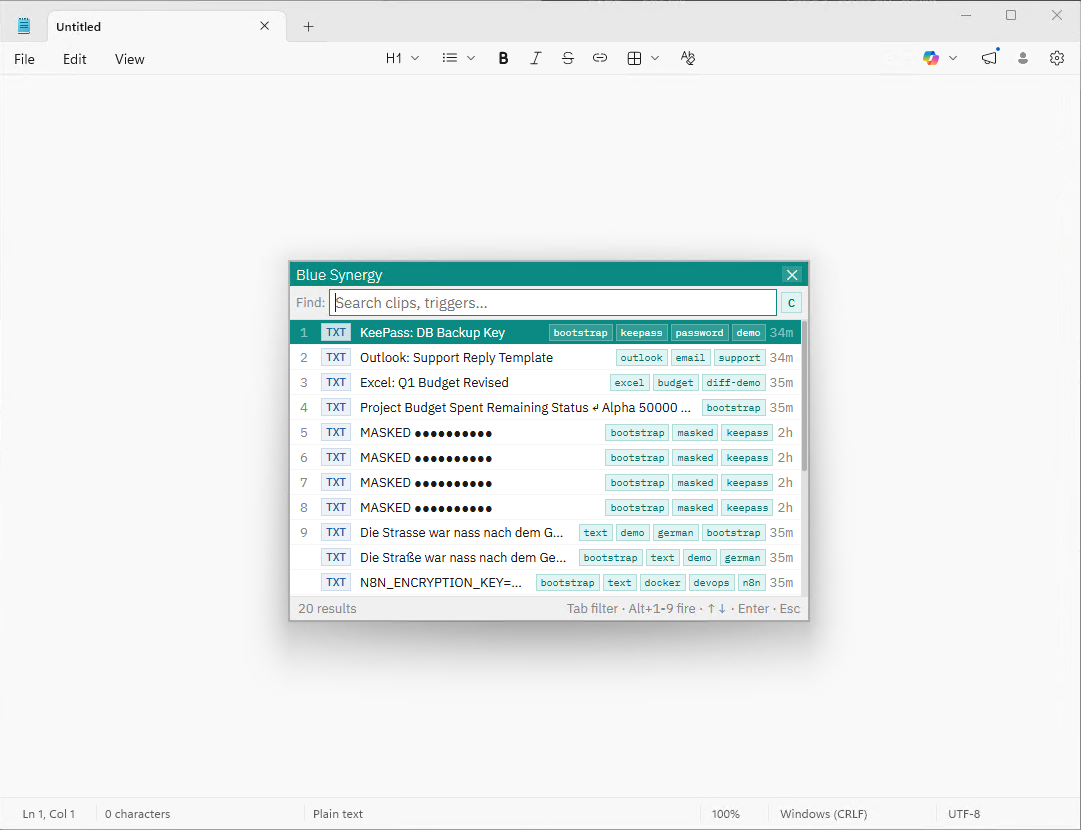
Never lose a copied item. Instantly access your full clipboard history — text, images, and screenshots — via a lightning-fast overlay.
#Triggers
The Ghostwriter
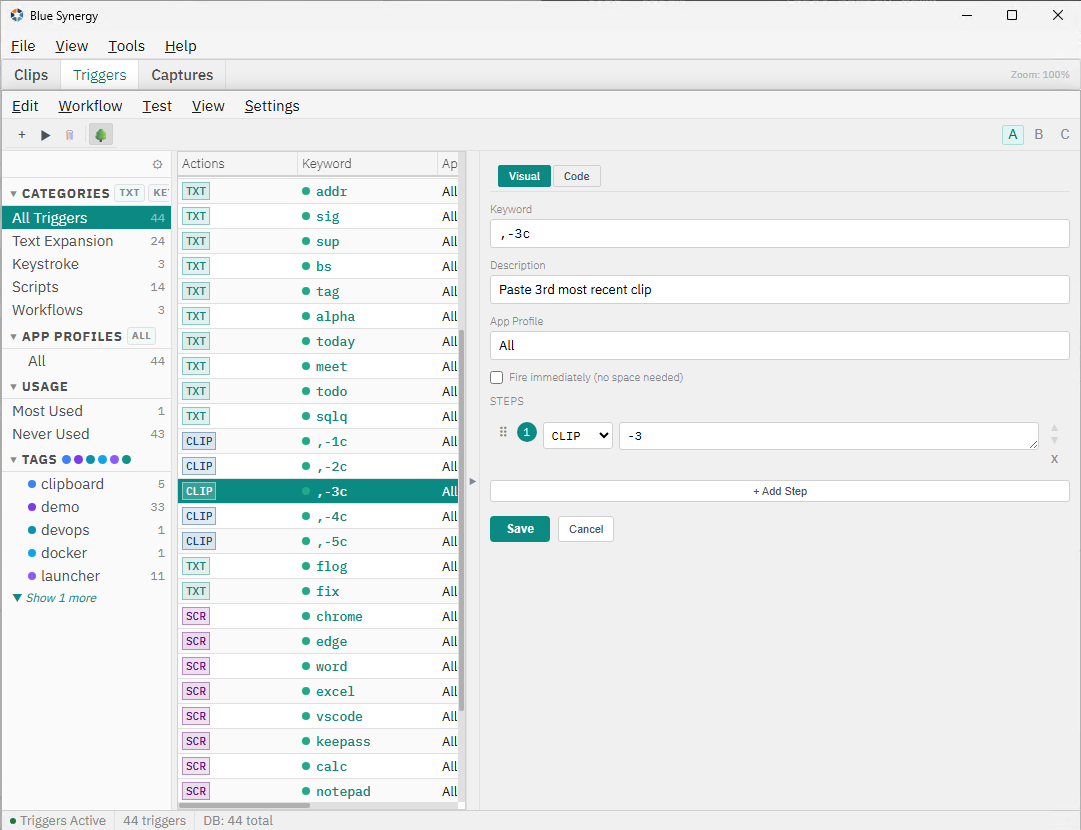
Type a short keyword and watch it expand into full paragraphs, signatures, code snippets, or dynamic templates — anywhere you type.
#Captures
The Photographer
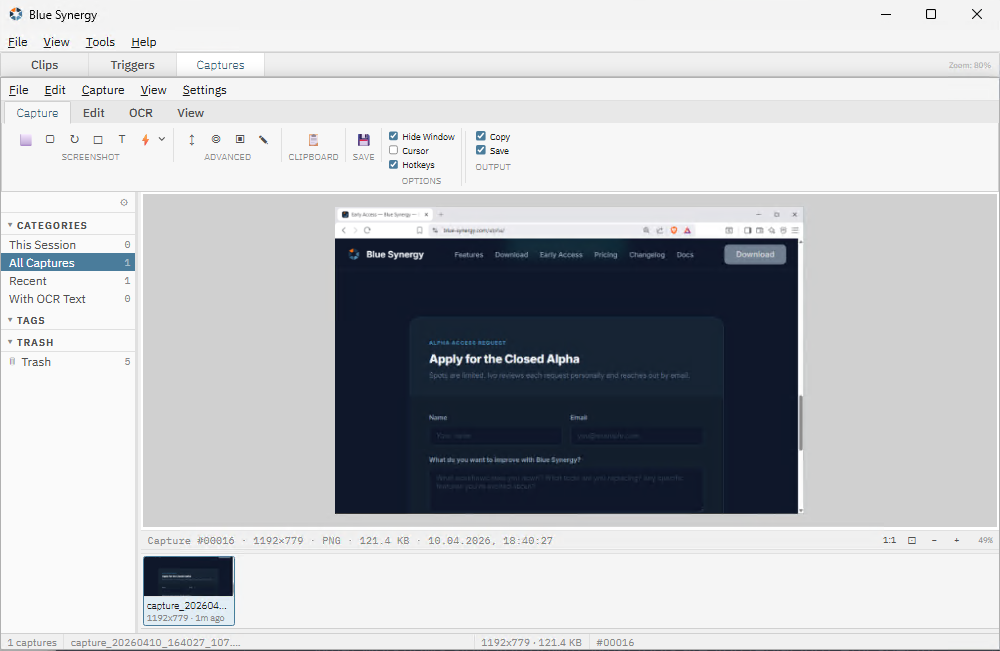
Capture regions, windows, or full screens. Extract text from any image instantly with built-in Tesseract OCR.
#Retention
The Shredder
Per-app retention rules decide what stays, what auto-purges, and what locks into the AES-256 vault. The keeper and the cleaner.
#Overlay
The Conductor
One hotkey opens a unified, sub-50ms search across every clip, trigger, and capture. Your fingers never leave the keyboard.
Everything you need
Built for power users
Every feature is designed to stay out of your way until you need it.
Instant Overlay
Open your clipboard history in under 50ms with a global hotkey. Fuzzy search across all your clips.
Pin & Organize
Pin important clips, group them into folders, add tags. Keep your most-used content always at hand.
Smart Templates
Use variables like {date}, {clipboard}, and {cursor} in your text expansion triggers.
Capture Modes
Region, window, fullscreen, scrollable, freehand, and object capture — all with annotation tools.
OCR Extraction
Extract text from screenshots, images, or screen regions in seconds using Tesseract OCR.
5 Themes
Choose from Teal, Navy Blue, Electric Blue, Steel Blue, or Hot Pink. Switch live — no restart.
100% Local
All data stays on your machine. No cloud upload, no telemetry, no account. Even OCR runs locally via Tesseract.
Clip Encryption
Mark sensitive clips as Secure — AES-256-GCM at rest with DPAPI unlock or password recovery. Masked in the overlay, never plain on disk.
Roadmap
What's coming
Features currently in development for the next releases.
Pre / Post Hooks
Run scripts before or after a paste or text expansion — format JSON, convert Markdown, write logs, or trigger anything else.
Workflow Logic
Build conditional trigger workflows with IF-logic, chained steps, and a test-run mode to preview output before it fires.
OCR on Any Image
Run text extraction on existing image clips and captures via right-click — not just on fresh screenshots.
App Profiles
Automatically paste the right format per target app — RTF into Word, plain text into VS Code, tab-separated into Excel.
German UI
Full German localization is on the roadmap as the first additional language — more languages to follow.
Documentation
Every feature, documented
74 pages of reference docs — verified against the source code. Covers every setting, shortcut, and workflow.
#Clips
Clipboard history, pinning, folders, tags, secure clips, overlay, and the full clip lifecycle.
#Triggers
Text expansion, templates, variables, multi-step workflows, test-run mode, and erase methods.
#Captures
All capture modes, annotation tools, OCR extraction, region selection, and keyboard shortcuts.
Settings
Themes, hotkeys, backup & restore, licensing, trial, layout modes, and every preference explained.
English only for now — German translation planned as the first localization.
Get early access
Blue Synergy is in invite-only Alpha. Apply below and we'll send you a personal invite when a spot opens up.
Already have an invite? Check your email for your personal download link.
Windows 10 / 11 · 64-bit · Built for speed · <50 MB RAM idle · 100% local · Free until Oct 31, 2026