Get Started
You’ll learn how to install Blue Synergy and get it running in the background so it starts capturing your clipboard right away. This takes about 2 minutes.
Early Access Blue Synergy is currently in Early Access. Download is available to early access members — request access at blue-synergy.com.
Request early access
Go to blue-synergy.com and request early access. You will receive a personal download link by email once your request is approved.
The download is a single .exe installer — no account needed beyond the access request.
Windows SmartScreen: On first run, Windows may show an “Unknown publisher” warning. Click More info → Run anyway. This is expected for early releases.
Install
Run the installer. It installs silently — no dialogs, no reboot needed.
Blue Synergy is installed to %LocalAppData%\blue-synergy\ by default.
First launch
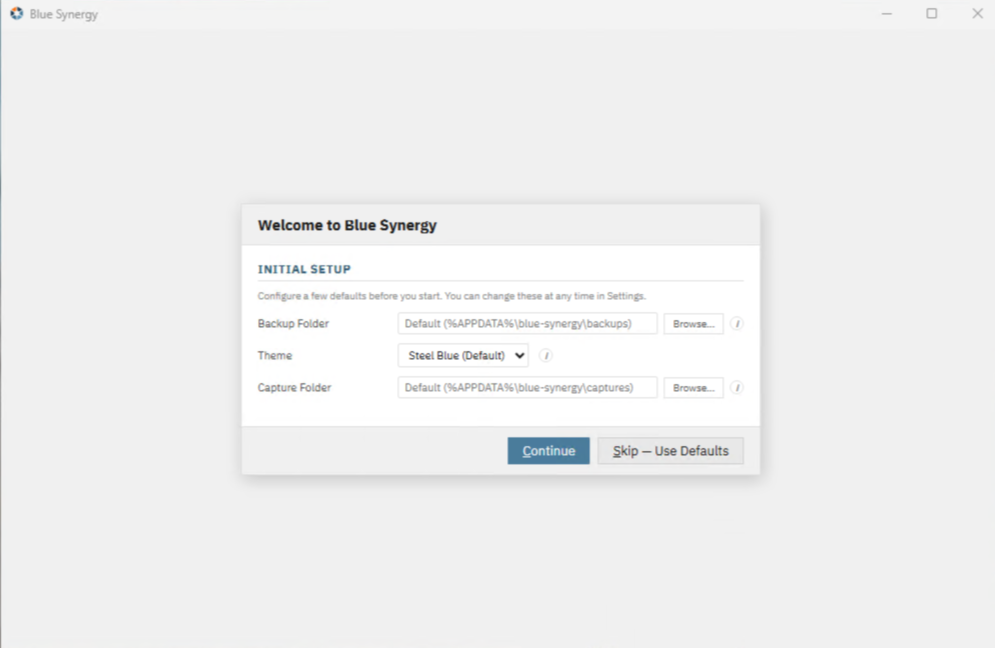
On first launch you have to set some basic settings before you begin.
Initial Setup
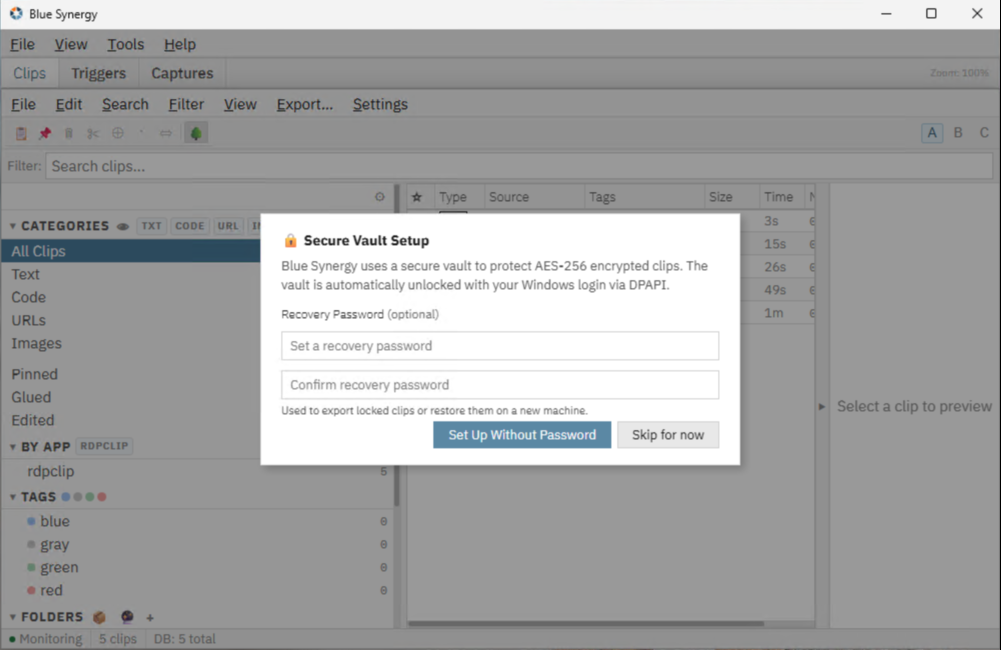
Security Setup
Blue Synergy opens with a startup overlay showing a progress bar while it initializes. This takes a few seconds on first run.
Once fully loaded, the app appears in your system tray (notification area, bottom-right). The main window opens automatically on first launch.
Your first copy
Switch to Blue Synergy and check the Clips workspace — if you’ve copied anything recently, it may already be there. Otherwise, copy some text with Ctrl+C in any application and it will appear immediately.
What’s next
- Clips — Find and paste from your clipboard history
- Triggers — Create your first text expansion
- Captures — Capture a region of your screen
Tips for a clean setup
- Theme: Go to View → Theme to pick a color scheme.
- Startup: Blue Synergy can start automatically with Windows — check Settings → General → Start on Windows startup.
- Show/hide: Press Ctrl+Alt+H to show or hide the main window from anywhere. If the window has disappeared, check the system tray.
- Tray icon: Right-click the tray icon to quickly open the app, pause clipboard monitoring, or exit.
- Quick Overlay: Press Ctrl+Space to open the instant clipboard search from any app.